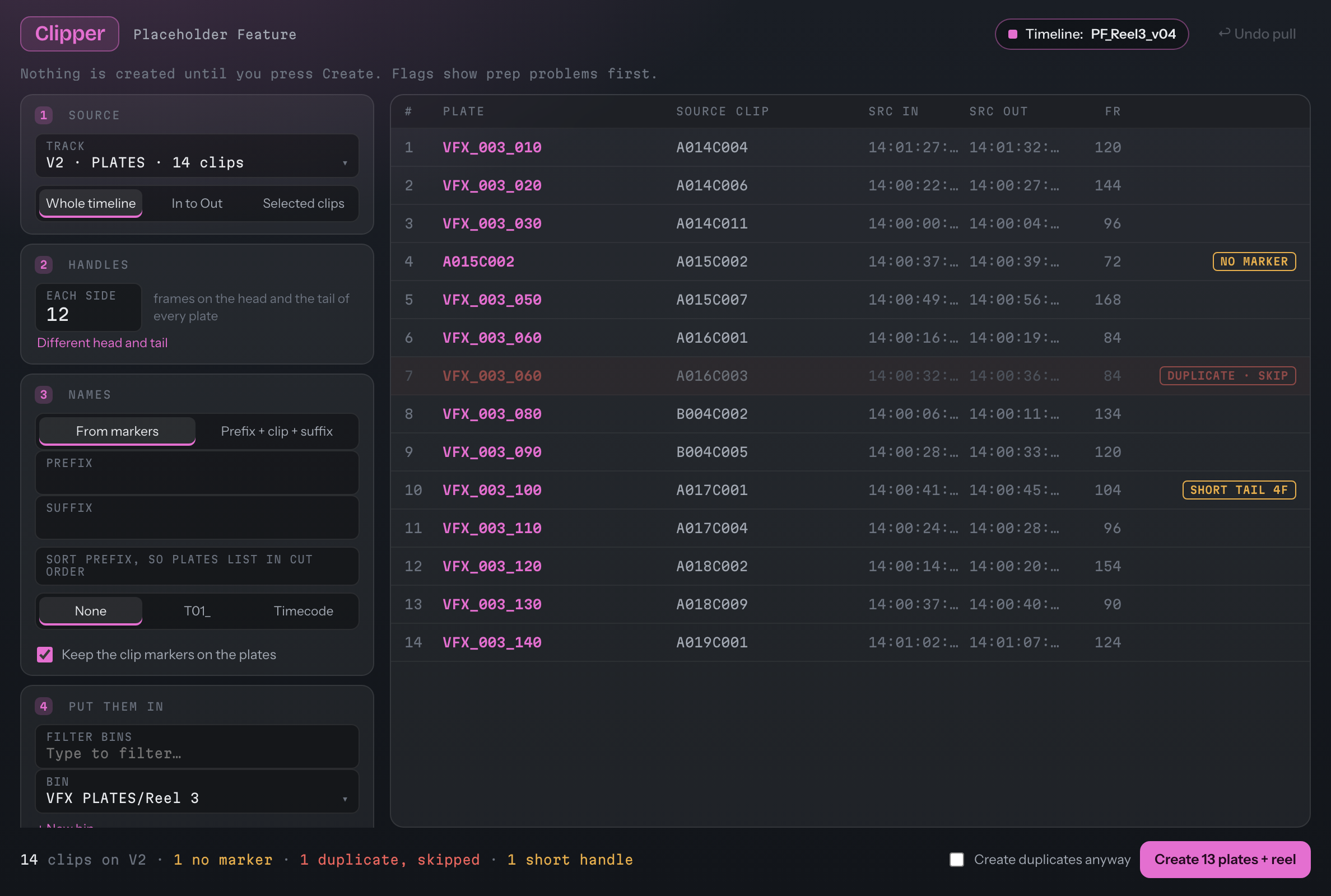
Plan it, pull it, prove it.
Everything it will make is listed before it makes anything.
Pick a video track and a range: the whole timeline, In to Out, or the selected clips. The plate list re-plans on every change, with the plate name, the source clip, the source in and out, the frames, and any flags.
- Handles: one number for each side, or different head and tail. It's remembered between sessions.
- Flags: no marker (the clip's name is used), duplicate (skipped unless you tick Create duplicates anyway), and short head or short tail, where it takes the media there is.
- Nothing is created until you press Create.
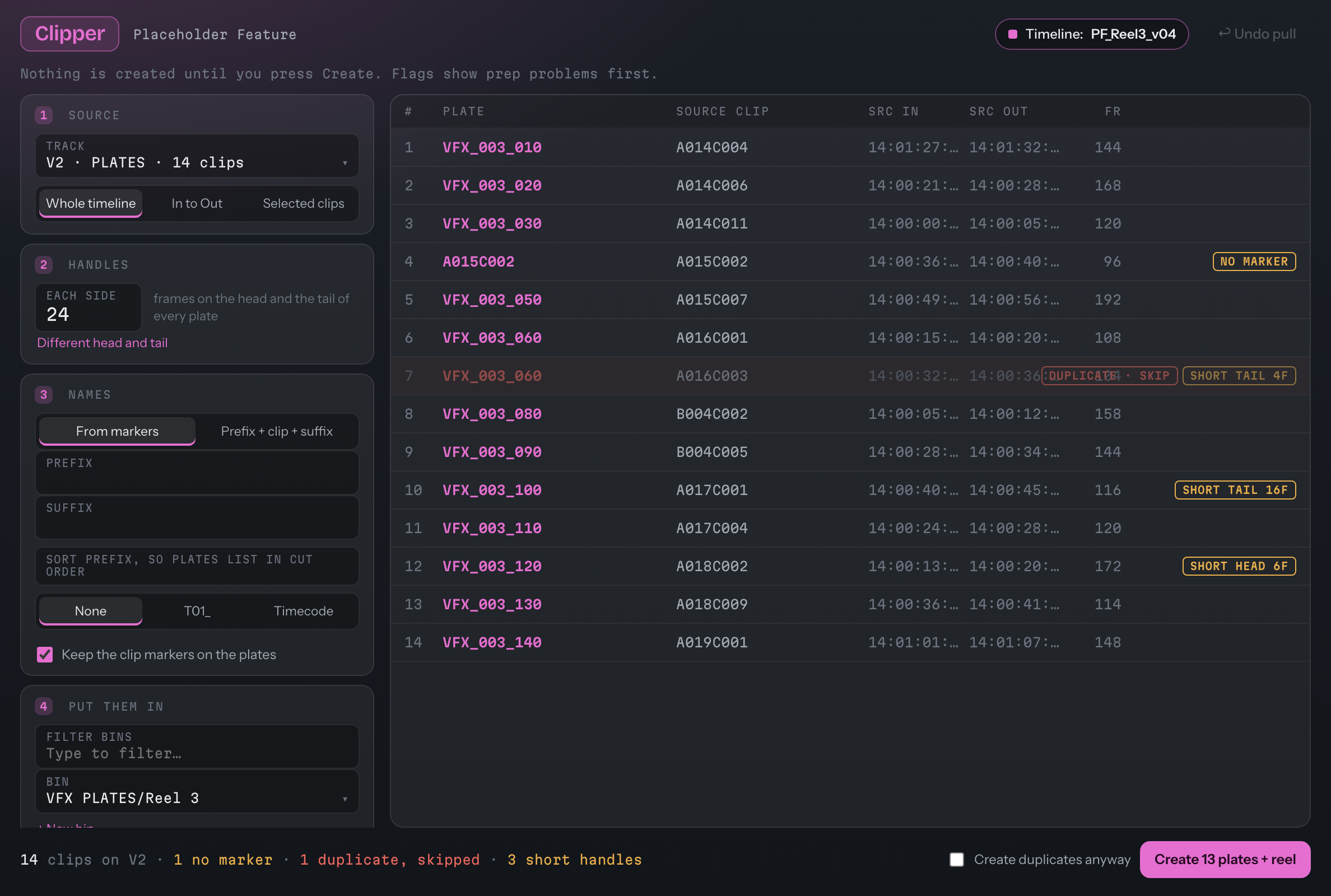
Handles at 24 frames: the plates whose head or tail runs short are flagged.
Name plates from the markers, or build the name.
From markers uses the marker on each clip. Prefix + clip + suffix builds the name from the source clip. A sort prefix of none, T01_ or timecode keeps the plates in cut order in the bin.
- Markers: tick Keep the clip markers on the plates, on by default.
- Put them in: any bin, with type-to-filter, the current bin, or a new one.
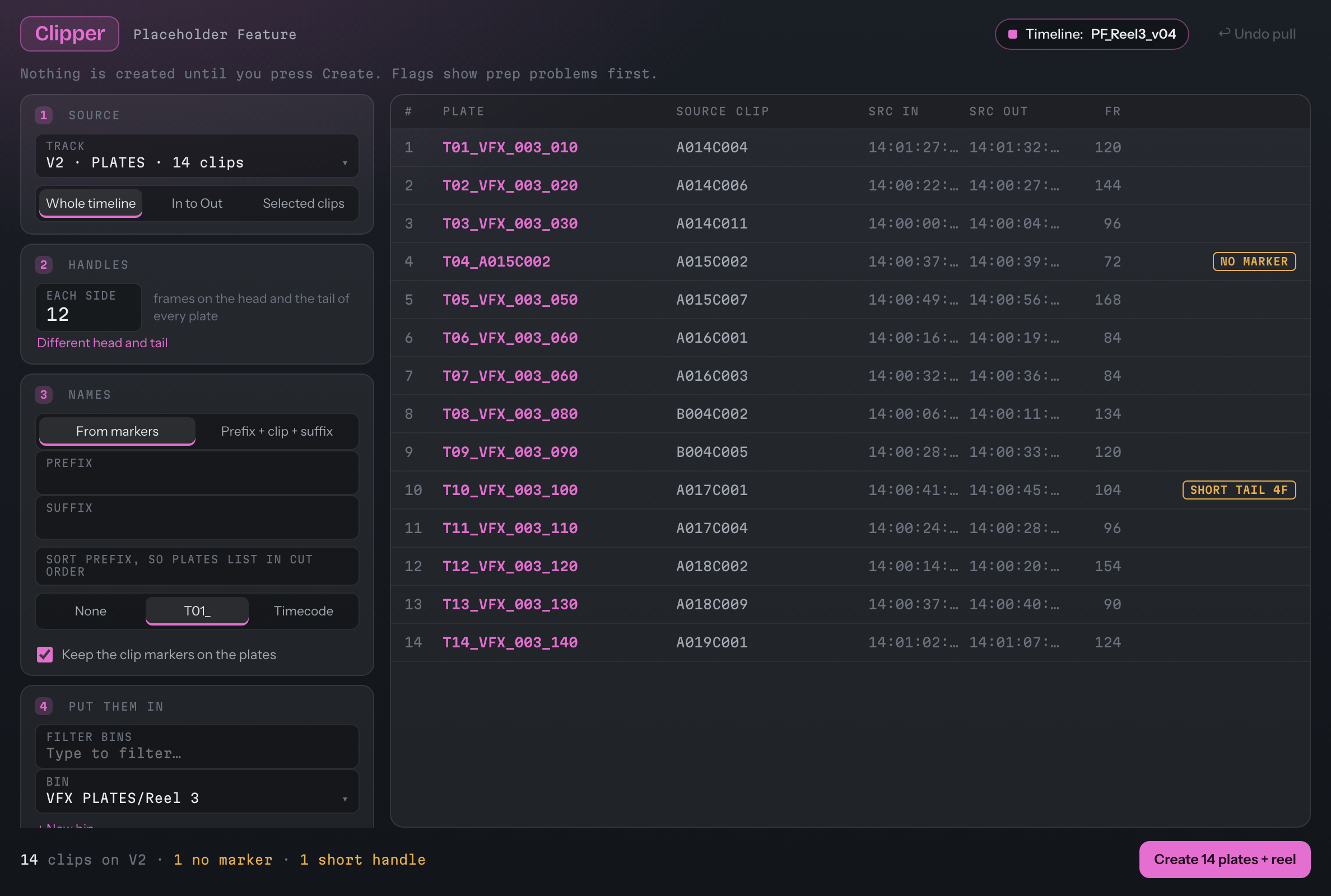
Sort prefix T01_: every plate named in cut order.
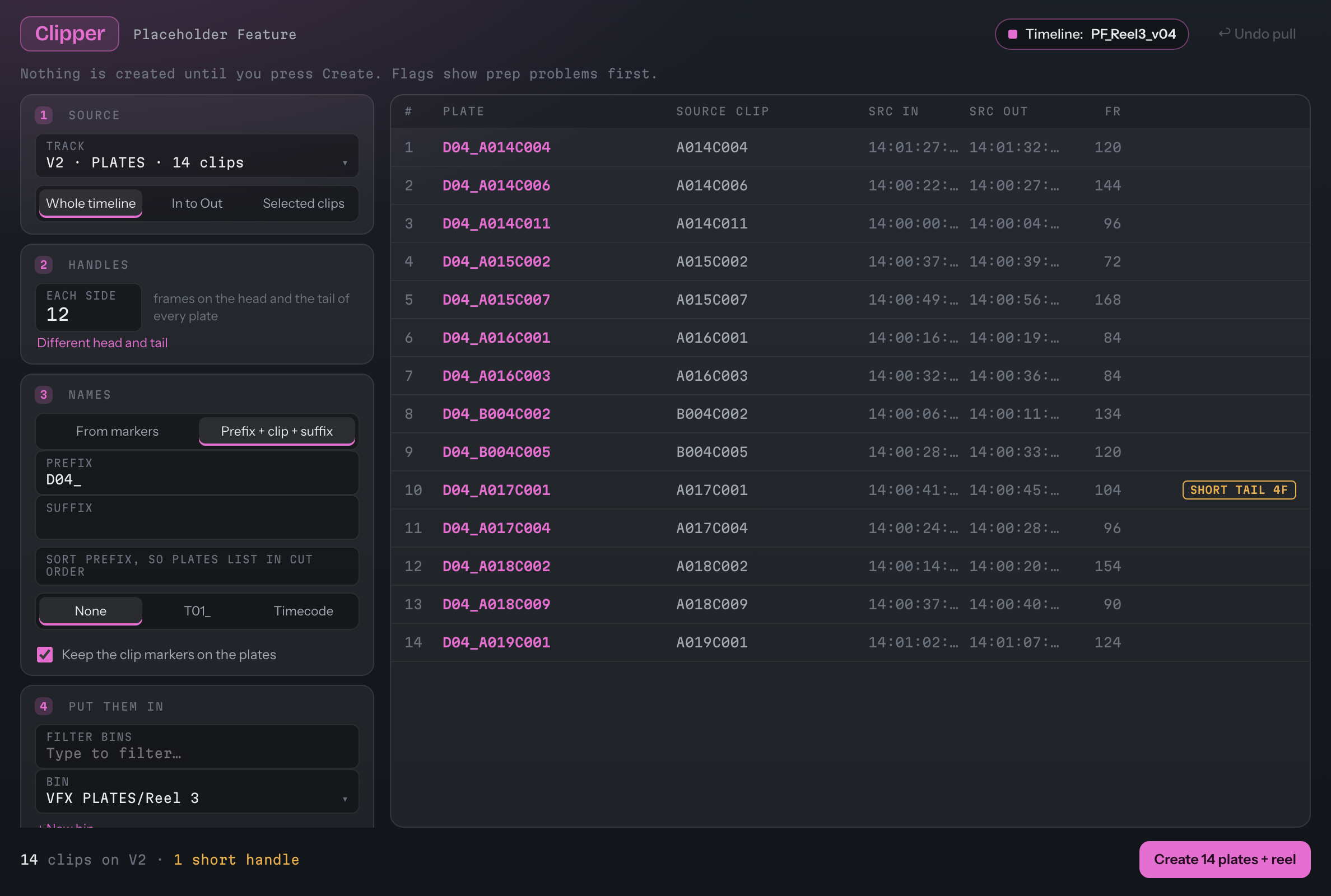
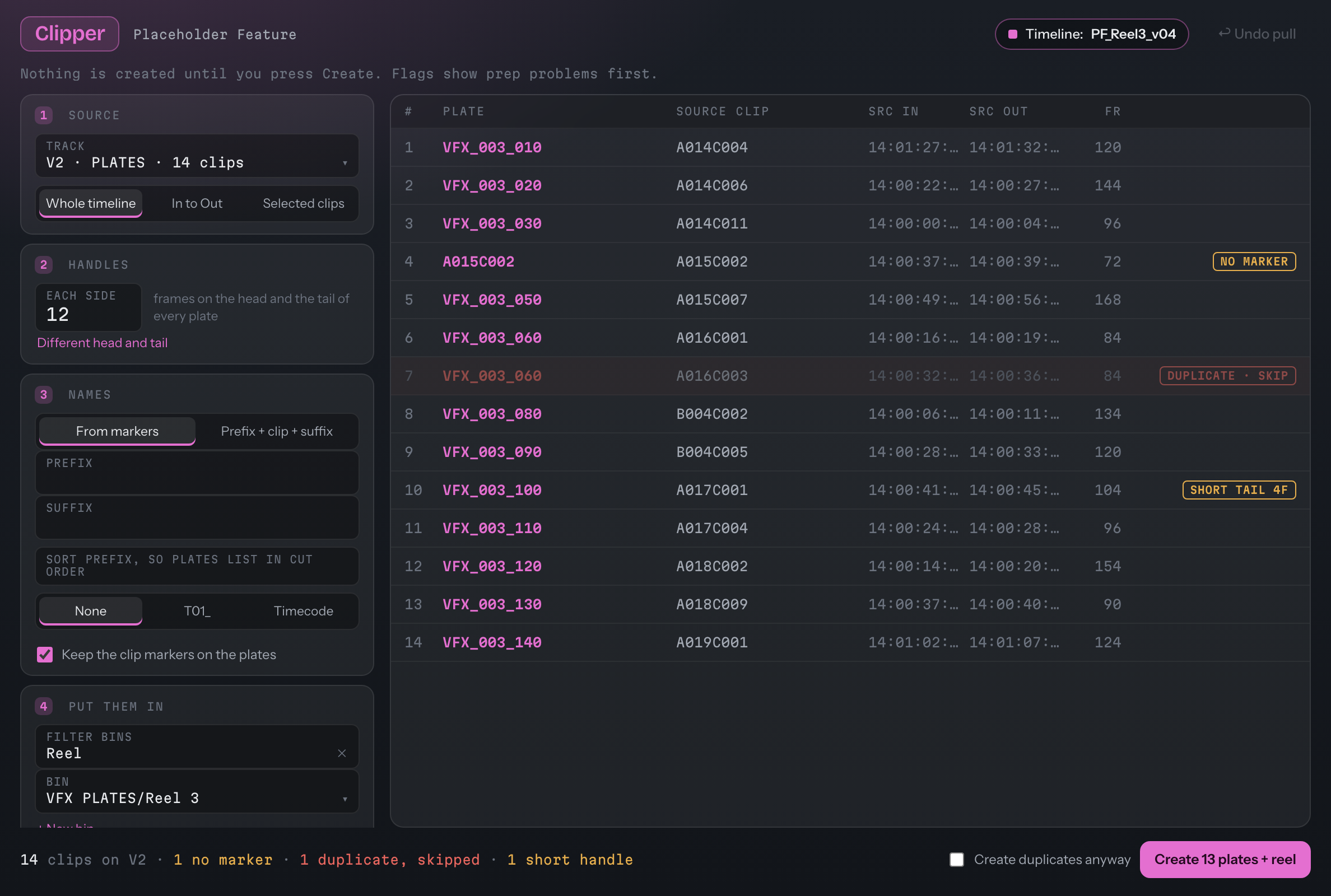
A reel built from the plates, then checked.
Build the reel is on by default: a timeline of the plates in cut order. It is video only, so your main sequence's audio is never touched, and you can copy the grade onto the reel clips.
- Progress and Abort: Create shows how far it's got. Abort stops after the current plate, keeps what's made, and still checks the reel.
- The reel check reads the reel back: every plate present, in cut order, carrying its plate name.
- Careful with your timelines: it removes nothing from a timeline it didn't create, and checks the original's track counts before and after.
- Undo pull asks once, then removes the plates and the reel that pull made, and only those.
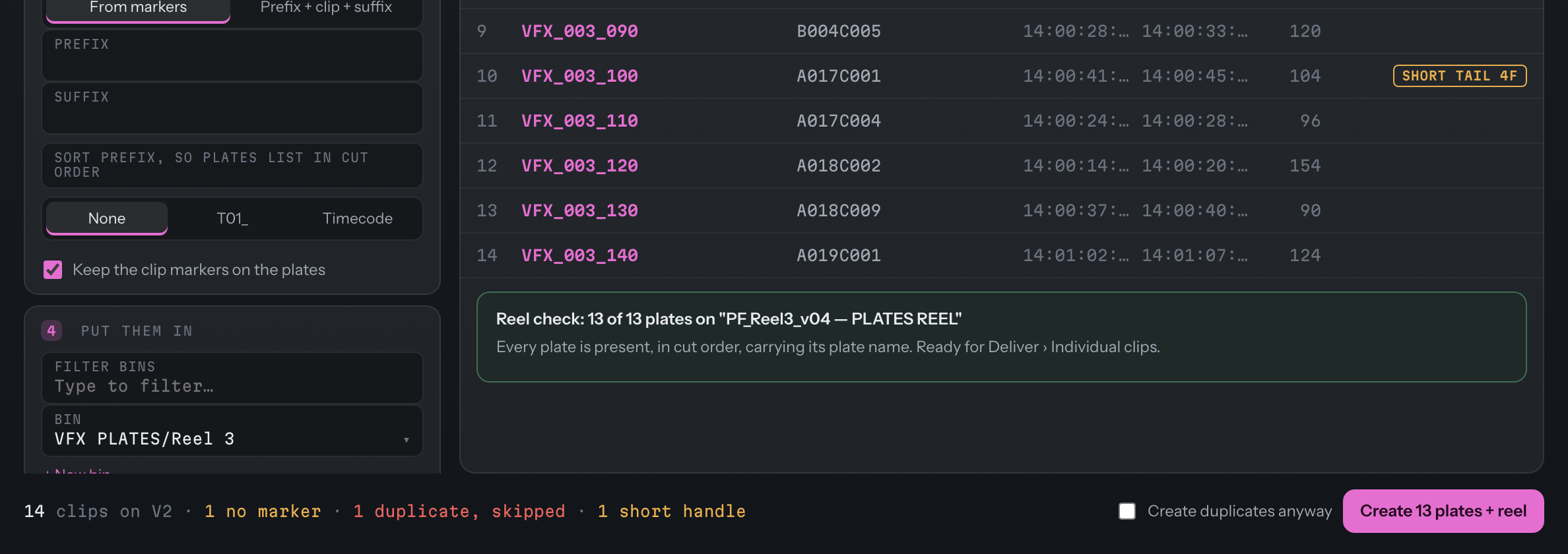
After the pull: 13 plates created, and a reel check that every plate is present and in cut order.
If a plate doesn't land, it says which.
A plate that didn't make it into the reel is listed by number and name, with the reason if one is known. Add missing to reel puts it in and checks again.
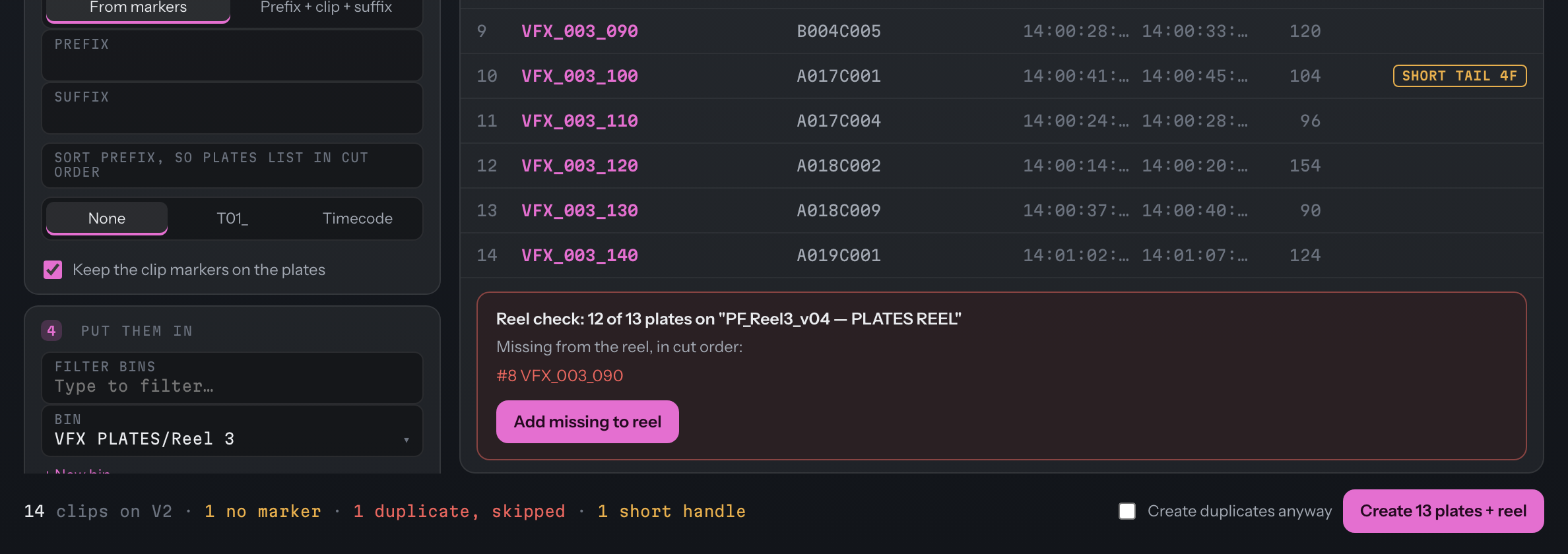
A placement forced to fail in the test project: the reel check names the missing plate and offers Add missing to reel.
What changed since Clipper 1.5.2.
- One app, not a scriptClipper is now one of five tools in the Resolve Tools app, beside DaVinci Resolve Studio 21.1 or later. The Scripts-menu version stays on the classic site for Resolve 21.0 and earlier.
- The same plate-makingThe ways of creating plates and the reel, and the guard that protects your main sequence's audio, were ported from 1.5 rather than rewritten.
- Flags before you createThe plate list shows each plate's name, source in and out, and flags for no marker, duplicates and short heads or tails, before anything is made.
- A reel checkThe reel is read back and compared with the plan, and Add missing to reel fixes what's missing.
- AbortStop part-way and keep what's made. The reel check still runs on what exists.
- A video track at a timeThe track picker in 2.0 lists the video tracks.
The full guide for Clipper 2.1 is on its way. Until it lands, the guide for the 1.x tool (Clipper 1.5.2) is still up: classic guide (1.x).
Resolve Tools 2.1 for Mac and Windows
One app, five tools, free. On a Mac, open the .dmg and drag Resolve Tools into Applications. On Windows, run the installer (no administrator needed). Then in Resolve set Preferences › System › General › External scripting using: Local. Requires DaVinci Resolve Studio 21.1 or later, and macOS 12 or later or Windows 10/11 (64-bit).
This build isn't signed yet, so macOS asks you to choose Open Anyway and Windows asks you to choose Run anyway the first time. It's free, made with care, and only goes online if you press Check for updates. The one-time steps for each are on the front page.
Using Resolve 21.0 or earlier? The classic Clipper is still here: Clipper 1.x.