Everything an assistant does twice, done once.
Each tool keeps its own colour, so you always know where you are. They all see the same project.
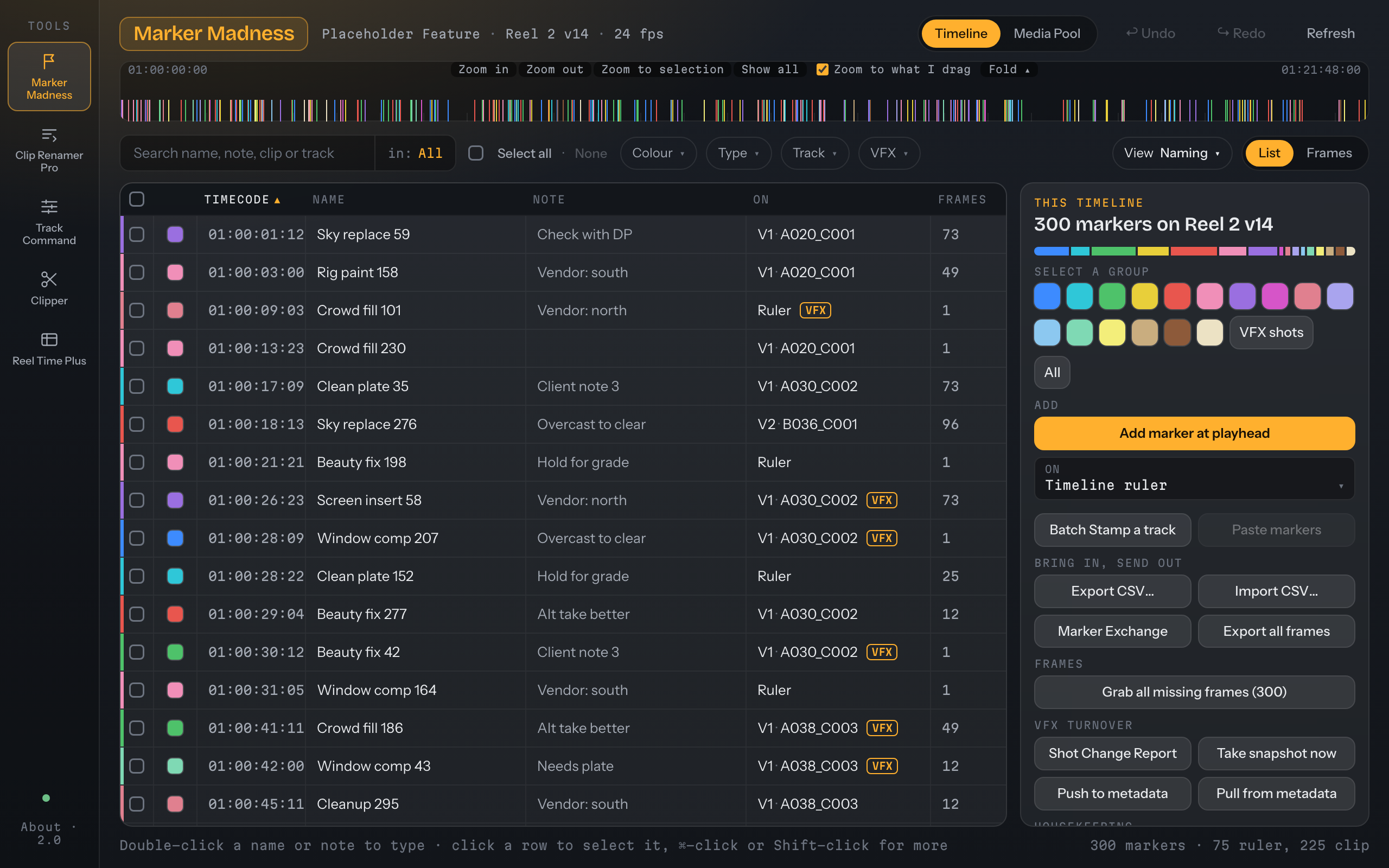
Marker Madness
Every marker in one list. Search, recolour, rename, stamp, and turn over VFX.
Explore → 002Clip Renamer Pro
Batch-rename clips and timelines, with a live preview and one-click restore.
Explore → 003Track Command
Add, name and lay out tracks from templates. Warns before removing anything with clips.
Explore → 004Clipper
Pull VFX plates with handles from markers, into the bin you choose, with a reel to check them.
Explore → 005Reel Time Plus
Reel and running times, captured from Resolve and kept live. Drop-frame done right. Also its own app.
Explore →Master Continuity. Scenes inside every act or reel.
Know what is in every scene, and hand over a report.
Reel Time Plus now keeps a list of scenes inside each act or reel, with their running times, and turns it into a report for screenings.
- Capture from Resolve: scene In and Out, scene-head markers, and acts linked to timelines.
- Import: from Avid marker exports and from spreadsheets. Premiere marker export is new in this release.
- Make report: a workbook and a PDF, ready to hand to a studio.
- Report style: your logo, labels, colours and paper size, with a live preview. See the report.
- Simple · Full view: Simple keeps the original reel-times feel.
Also in the standalone Reel Time Plus 2.1. More about Master Continuity →
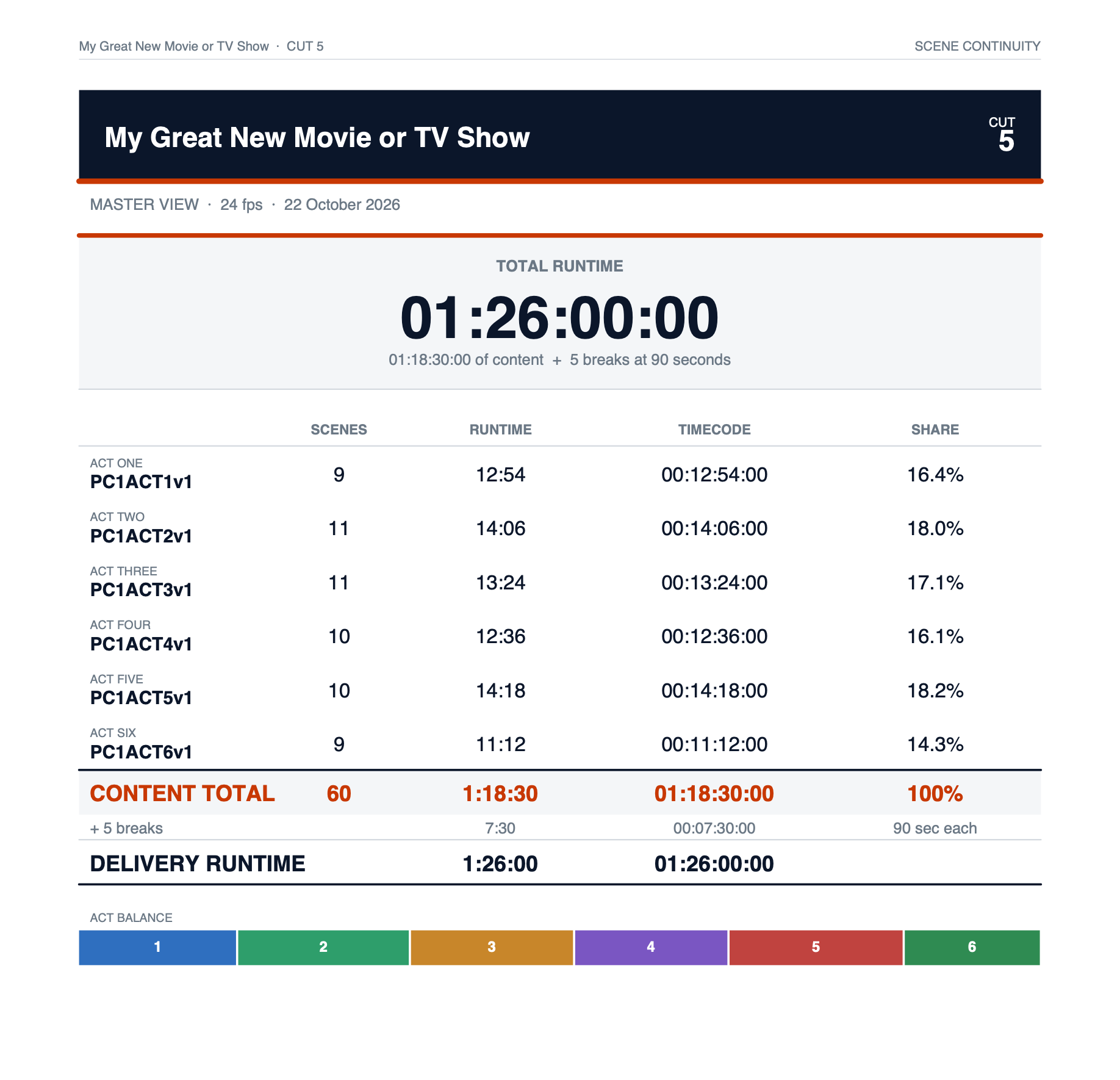
The cover of a continuity report, made in one click from the scenes in Reel Time Plus.
No more excuses from the executives. The scene breakdown is already in their inbox. See the report, and make it yours →
Rebuilt from the ground up. Faster to read, harder to get wrong.
See the whole cut at a glance.
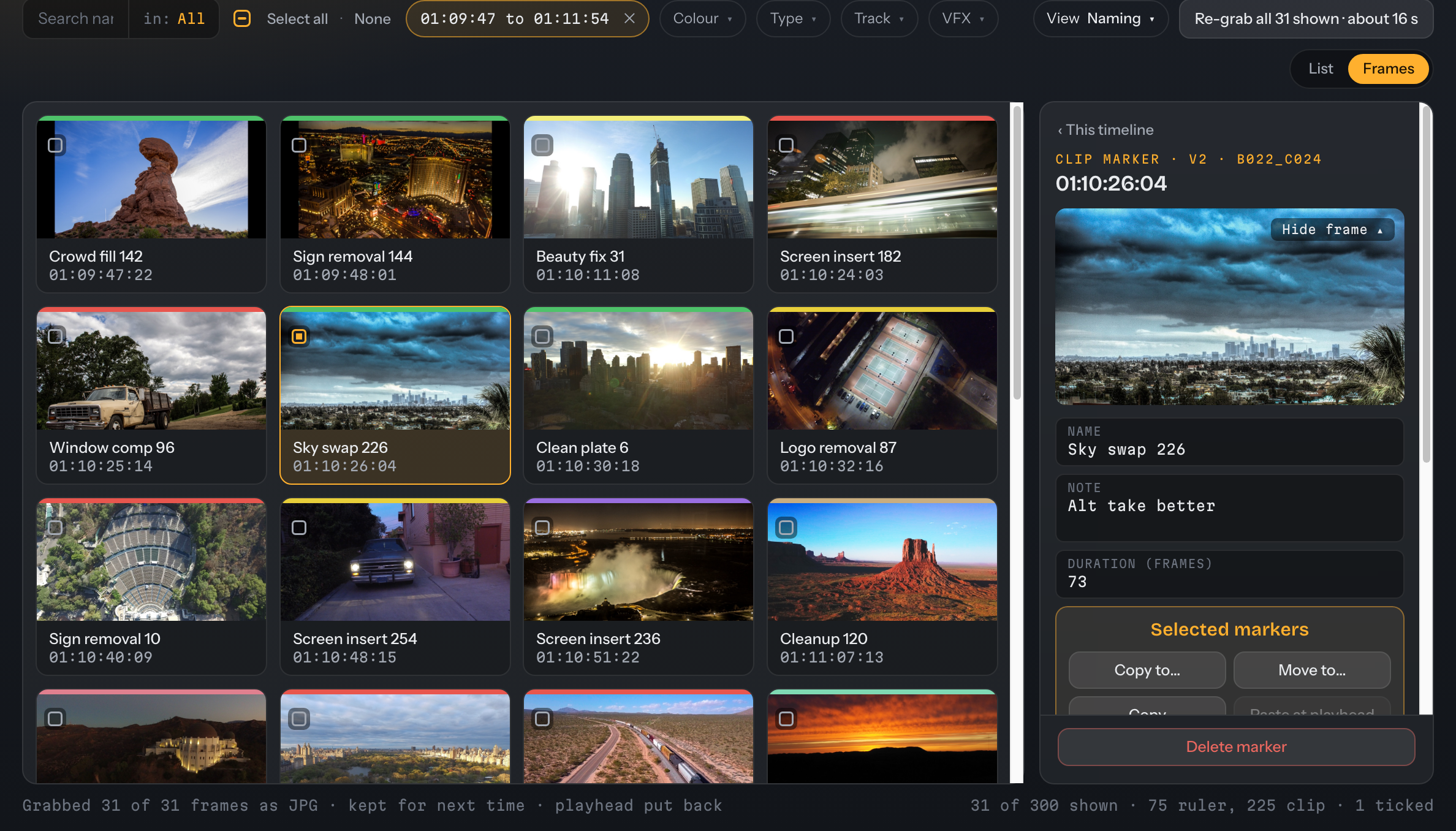
A strip of every marker across the top, the list underneath, and an Inspector that changes with what you've ticked.
- The strip: drag to zoom into any stretch; the list follows.
- Frames: a still for any marker, frame-exact.
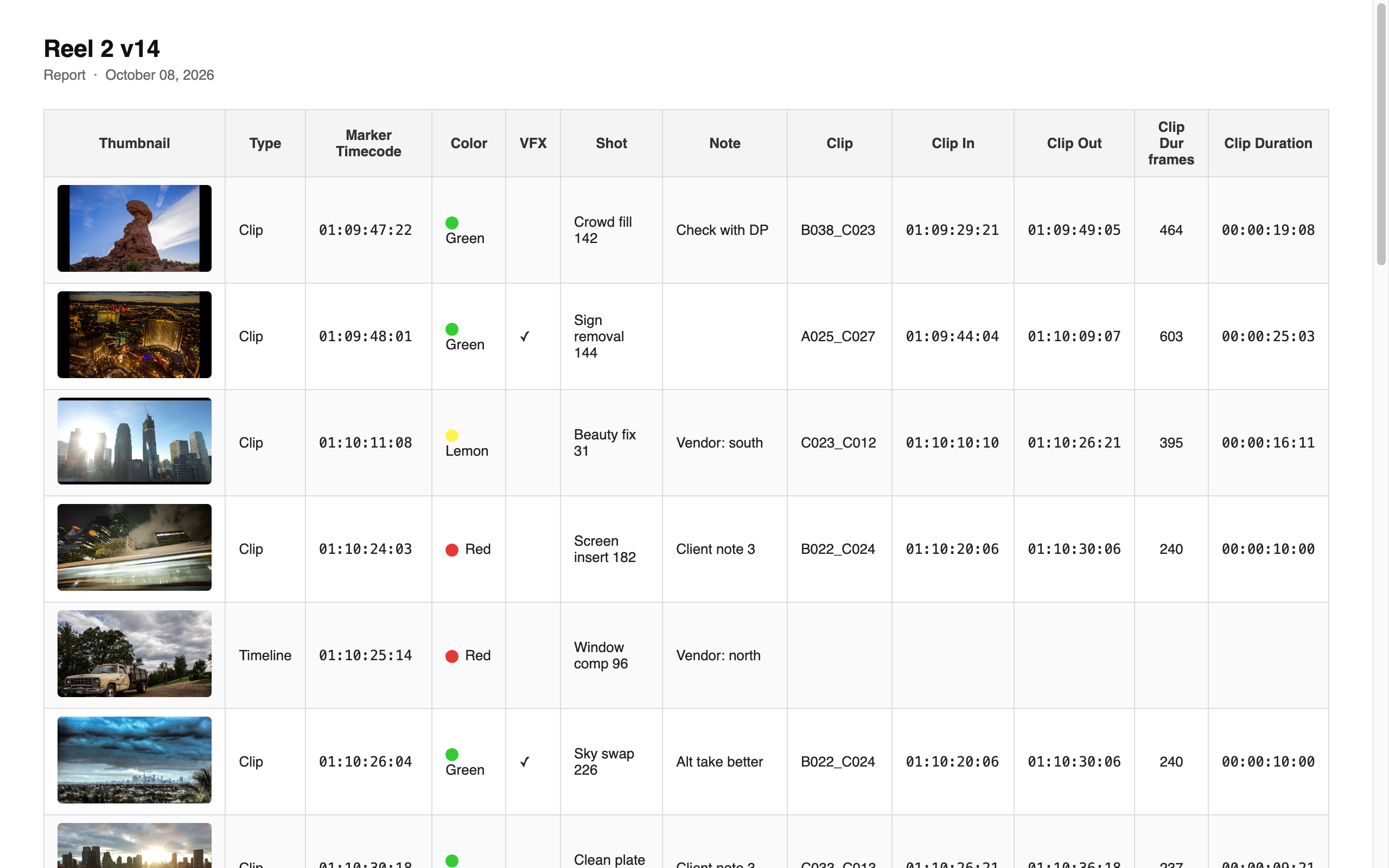
- Exports: a CSV of every marker with a picture of each, an HTML report you can send, and full-resolution frames for the VFX house.
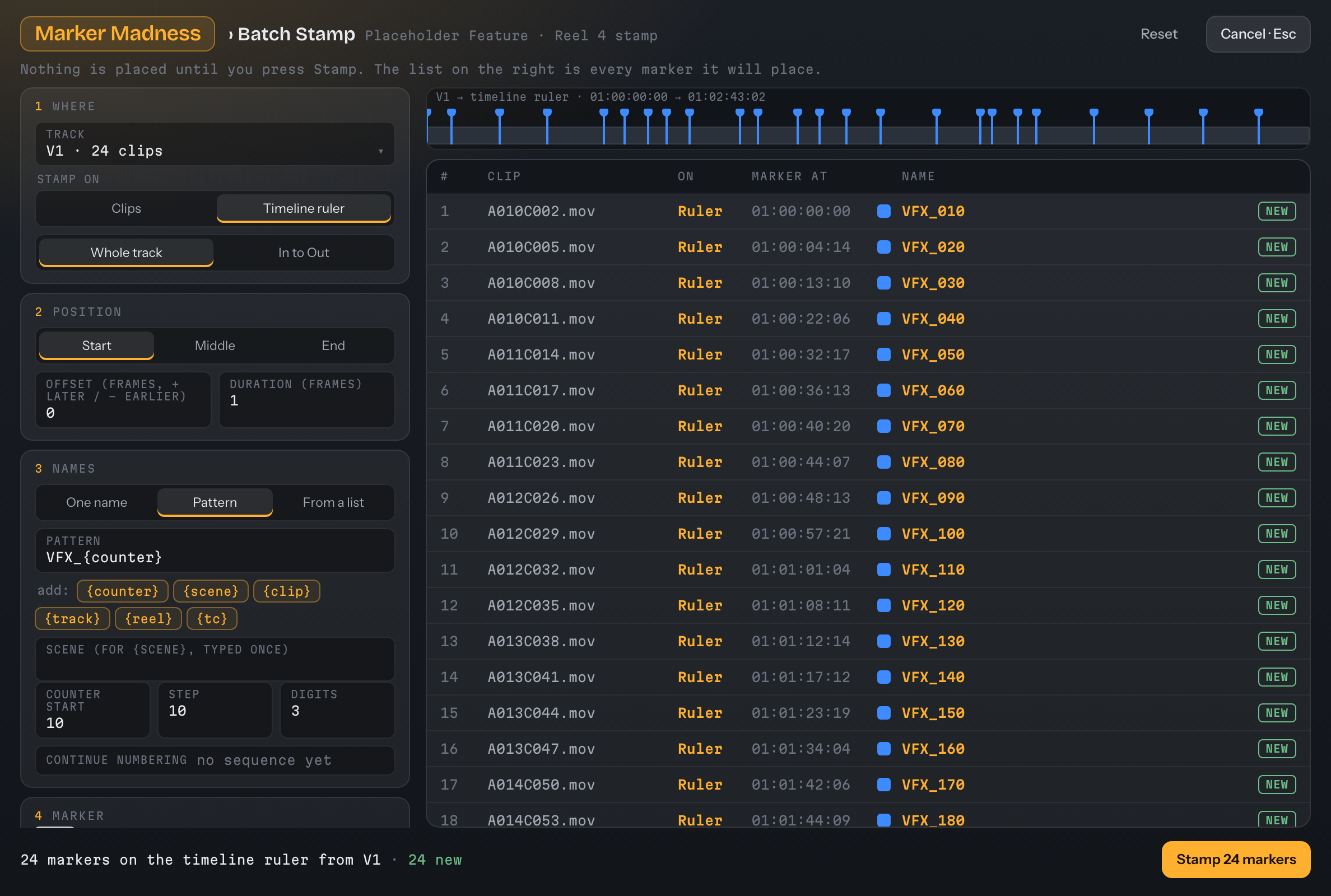
- Batch Stamp: name a whole track of shots in one pattern.
- Shot Change Report: what moved since turnover, and which shots now need more handle.
- Marker Exchange: to and from Avid and Premiere.
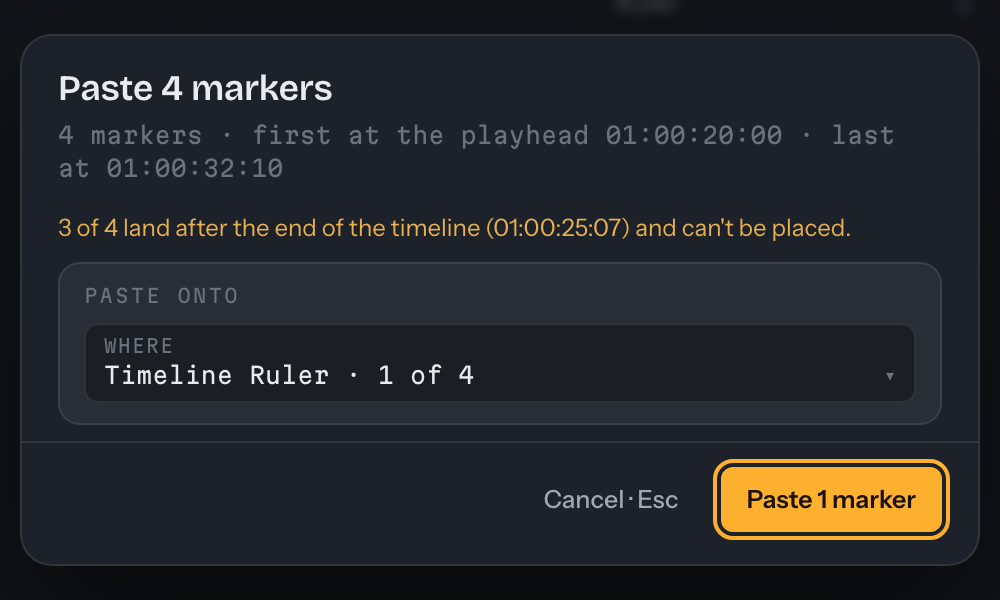
- Paste: tells you what will land, and what won't, before it does anything.
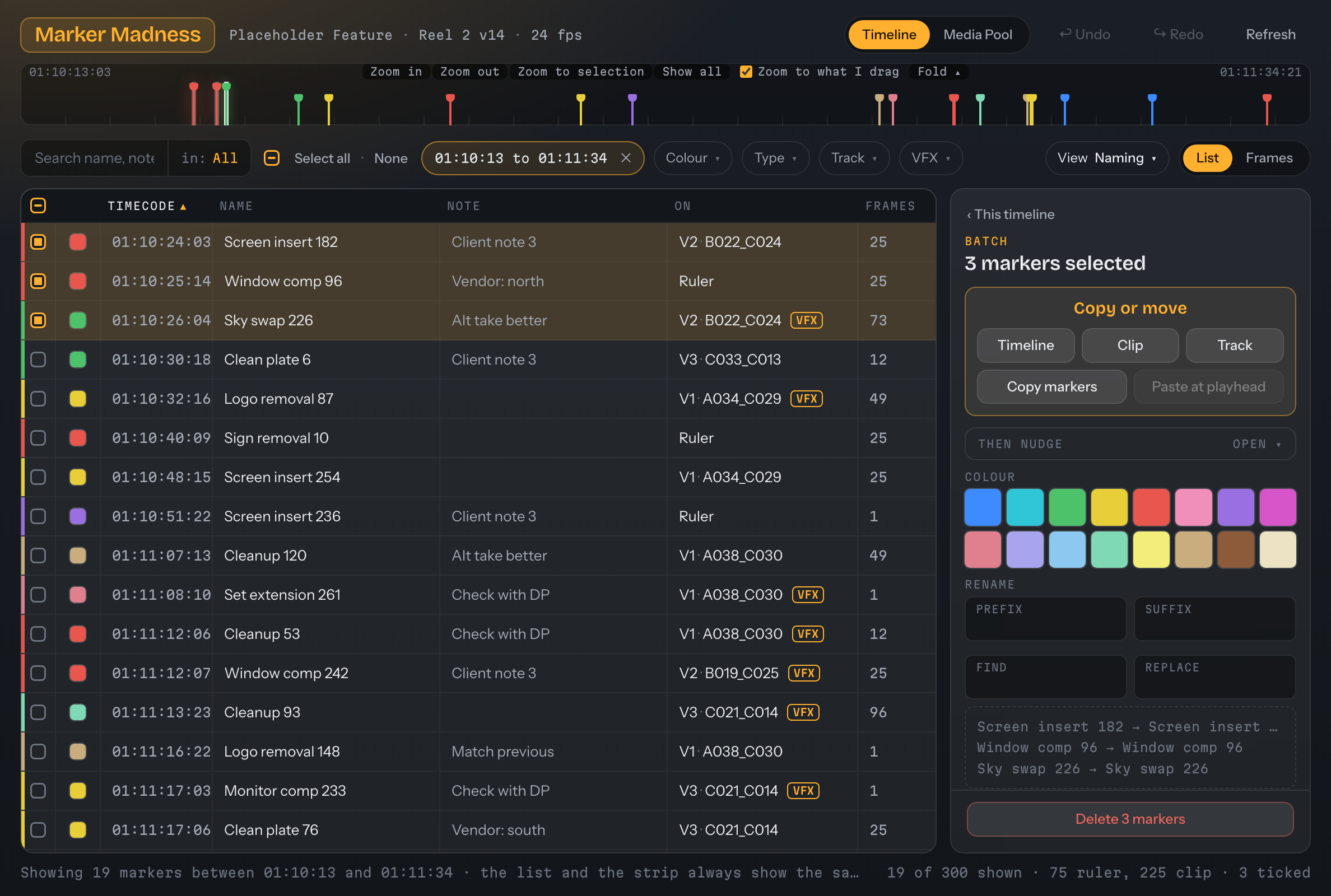
Marker Madness · strip zoomed to 01:10:13 – 01:11:34 · list follows · 3 ticked
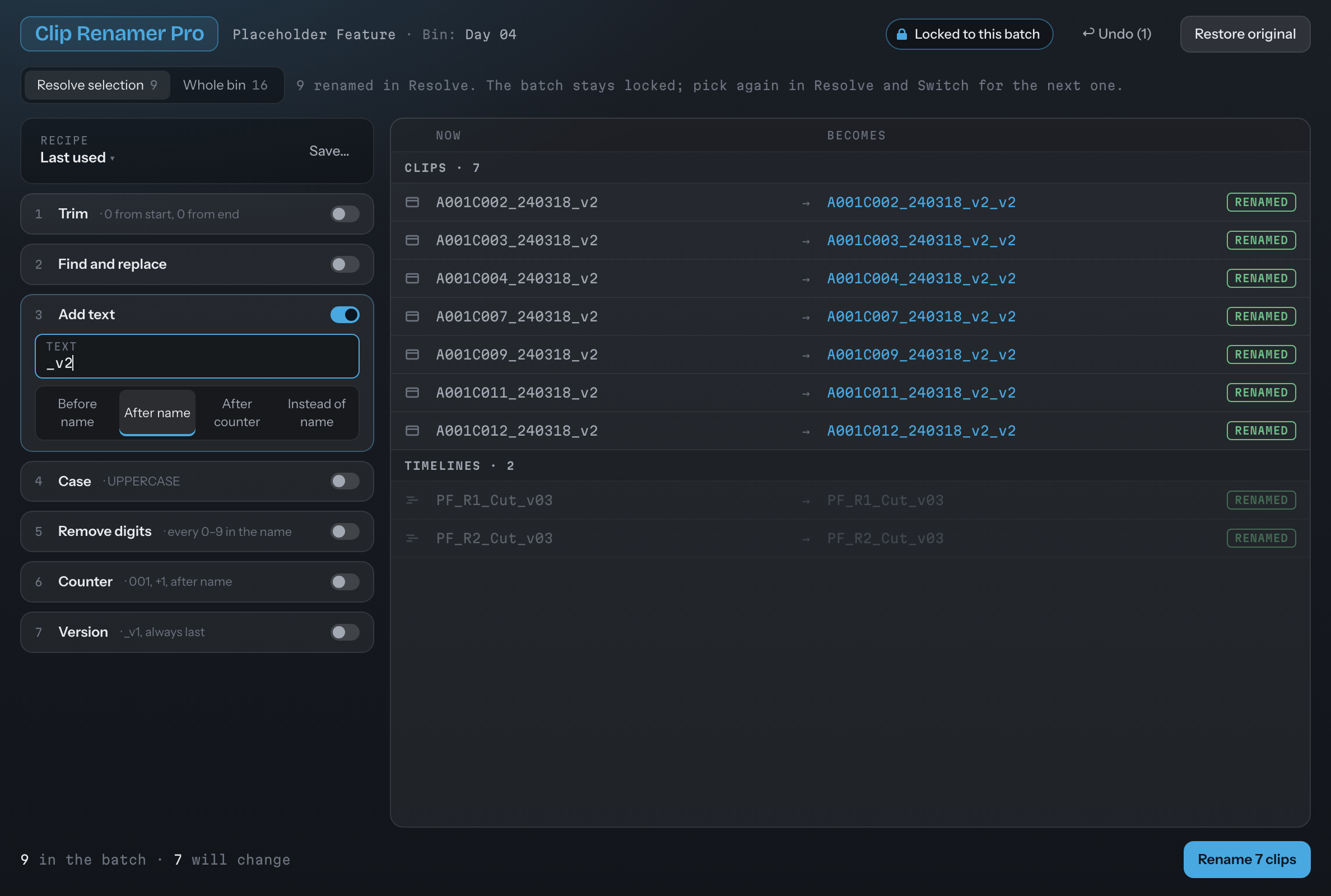
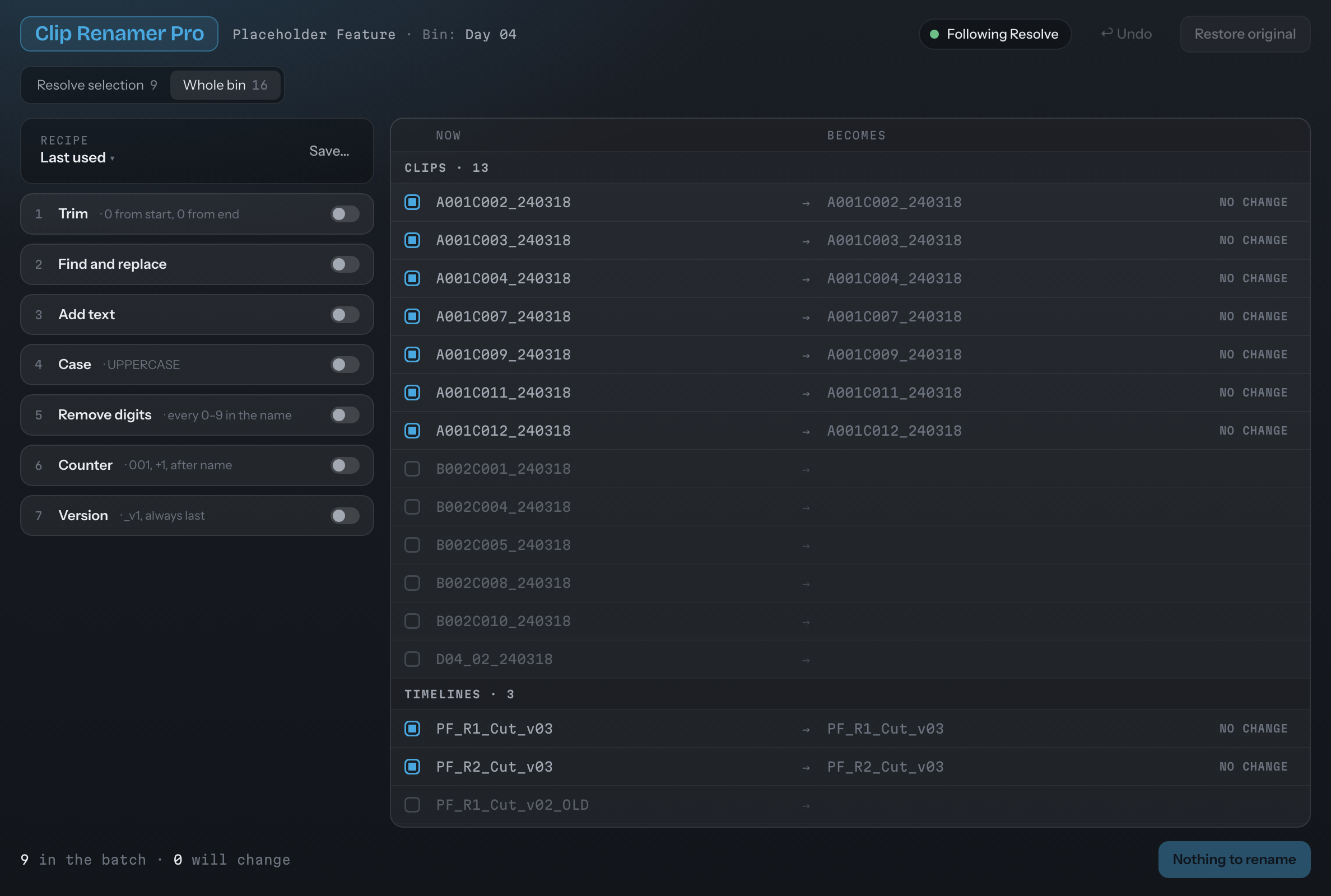
Rename a whole bin. Change your mind.
Build the name from steps, watch the preview update, apply, and restore the originals any time.
- Seven steps: Trim, Find and replace, Add text, Case, Remove digits, Counter, Version.
- Live preview: what each clip is now beside what it becomes; a name that would collide is flagged and skipped.
- Locked to the batch: if your selection in Resolve changes, the batch stays put until you switch.
- Undo and Restore original, any time.
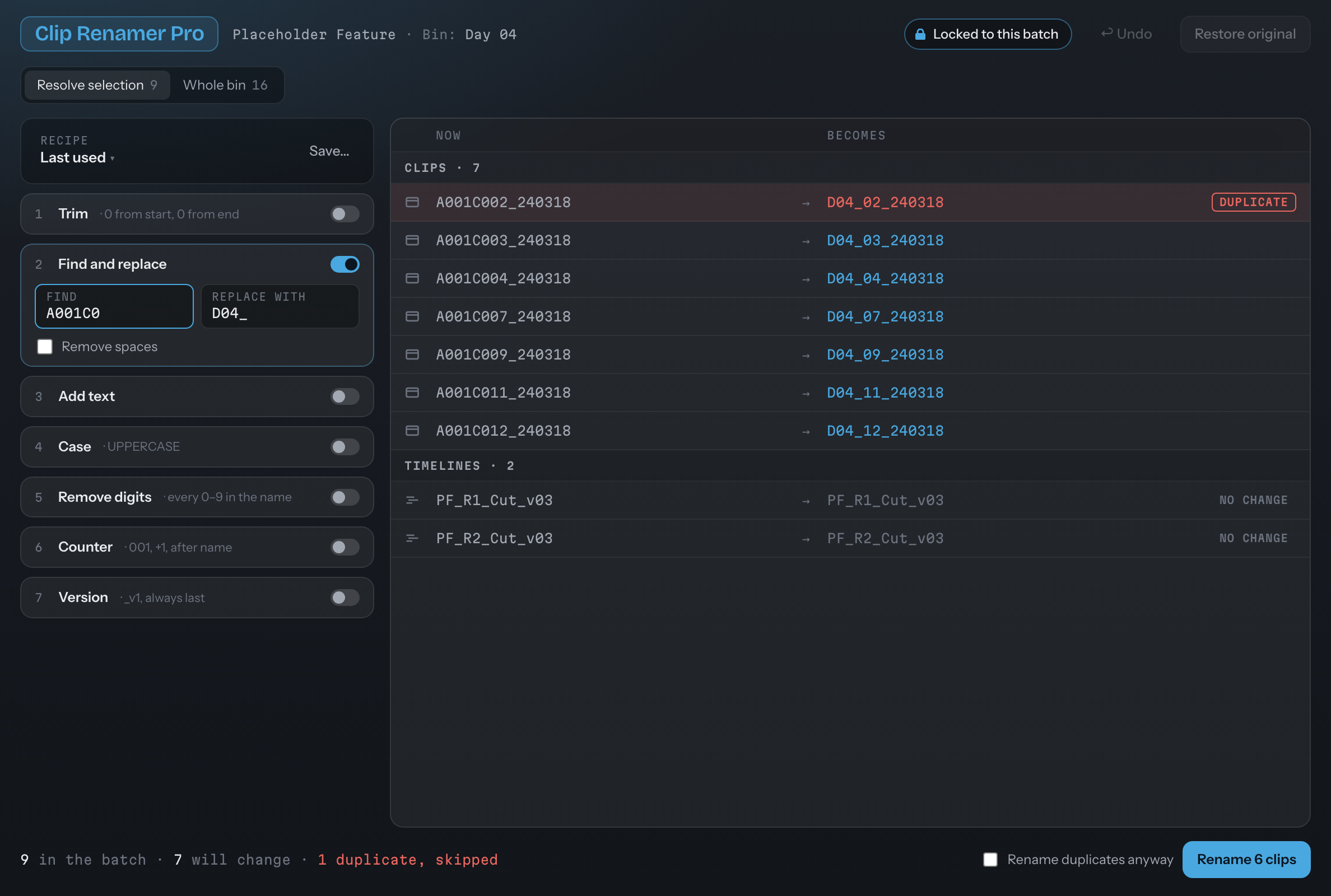
Clip Renamer Pro · find and replace, live preview, one duplicate flagged
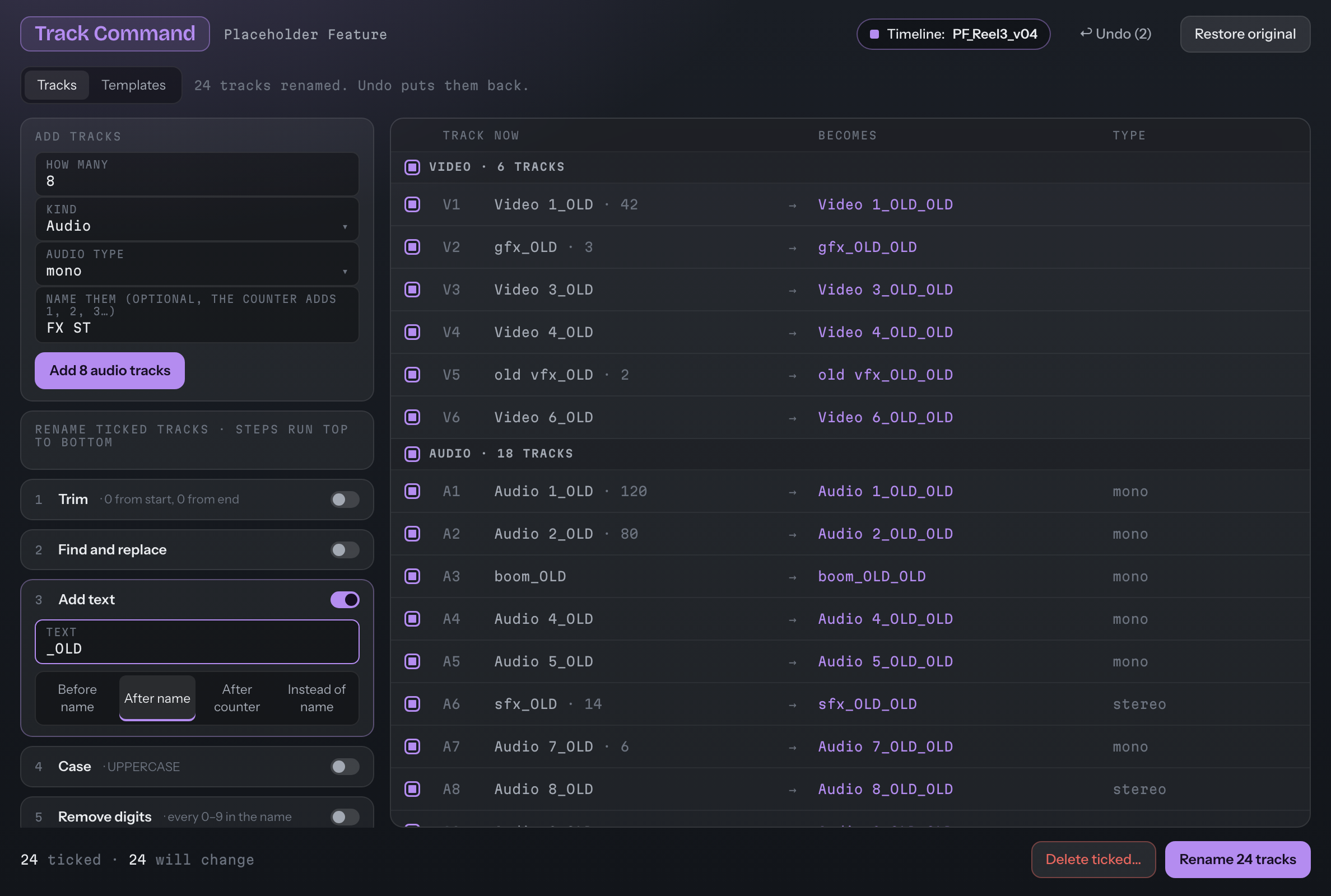
Tracks named before the coffee's cold.
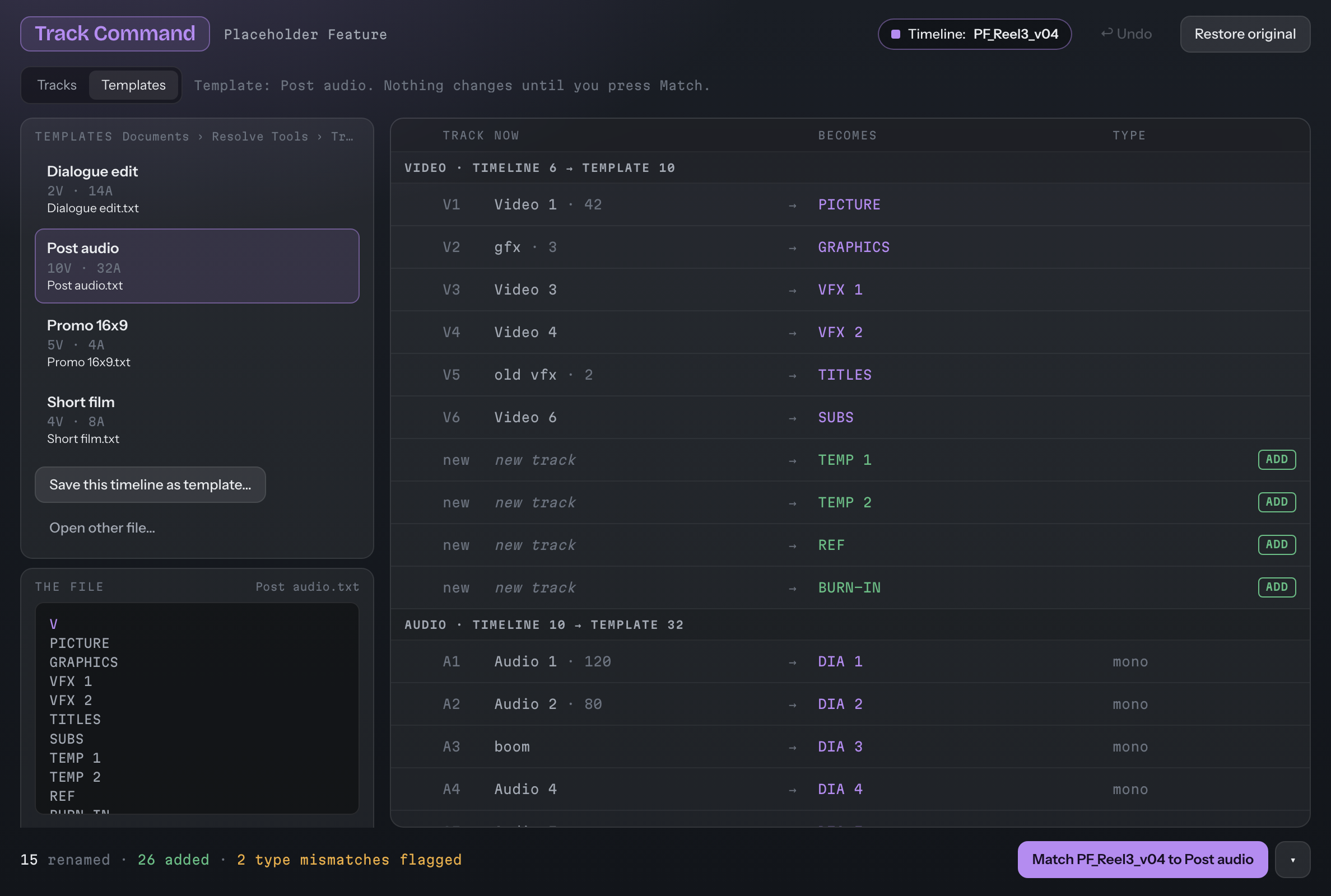
Add tracks and name them in one pass, or start from a template for picture, dialogue, music and effects.
- Tracks: every video and audio track of the open timeline; tick the ones to change.
- Add tracks: how many, which kind, an optional name with a counter.
- Templates: Post audio, Promo 16x9, Short film and more, or save this timeline's layout as one.
- Guarded: warns before removing a track that has clips on it.
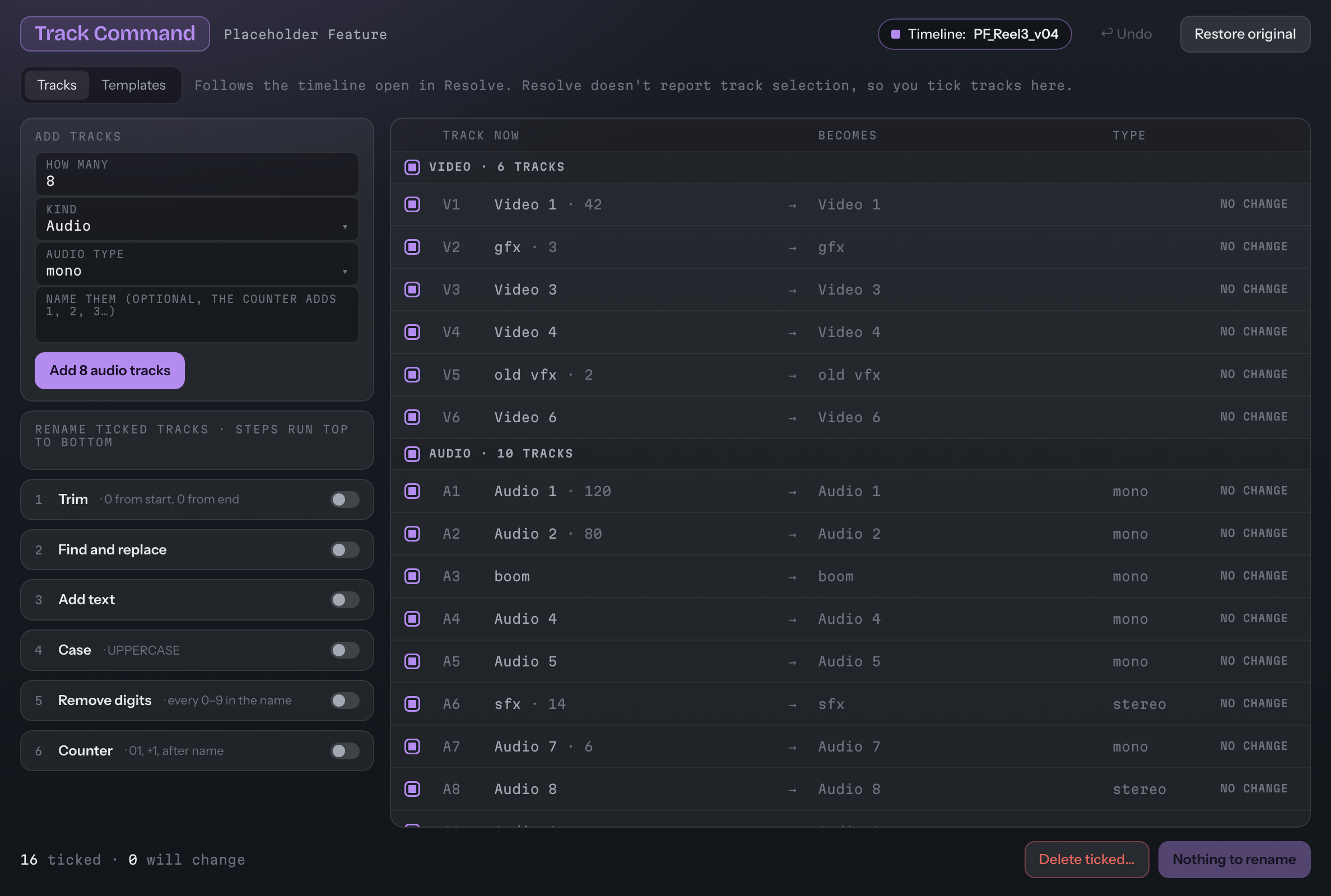
Track Command · the tracks of Timeline PF_Reel3_v04
Plates out the door, handles included.
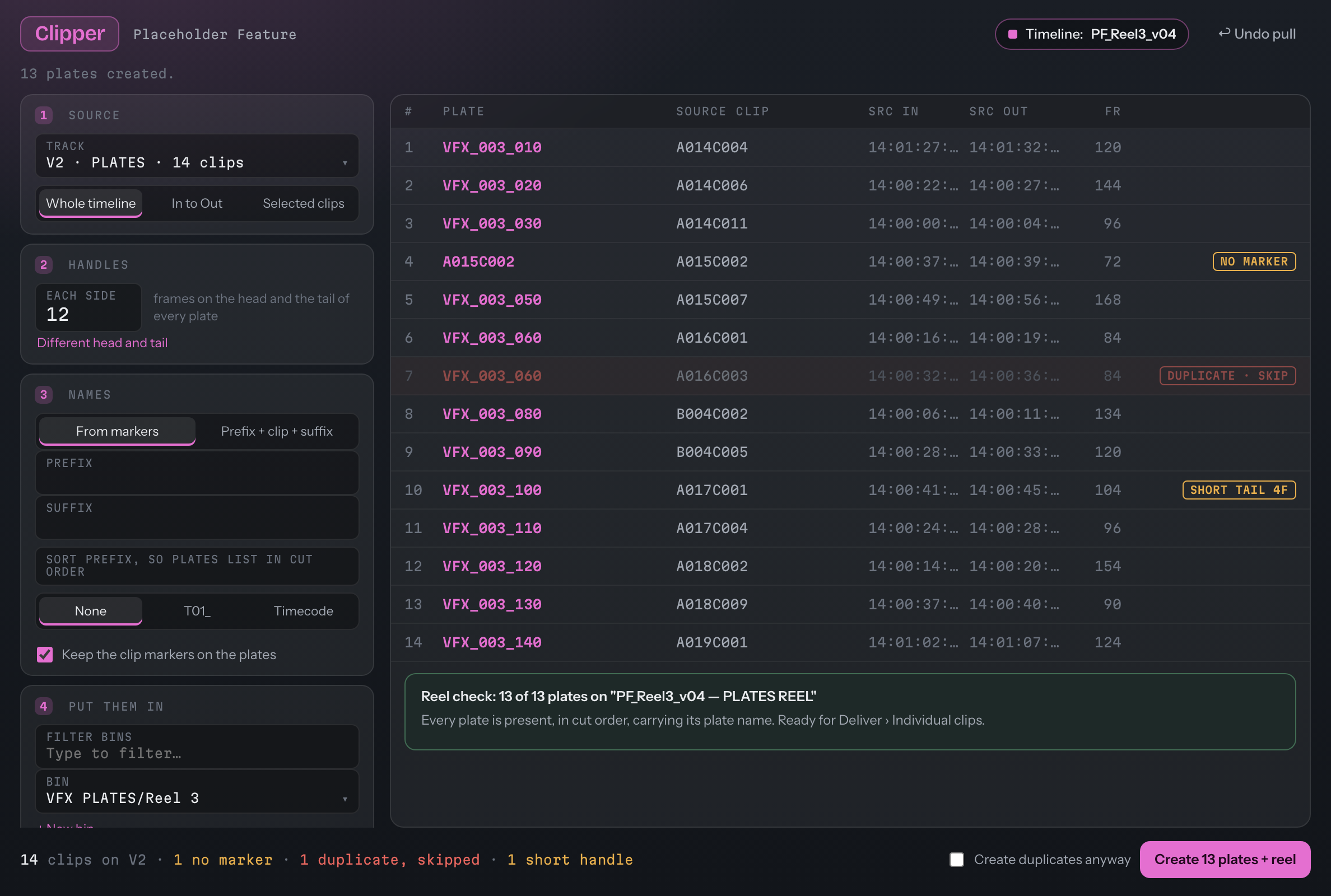
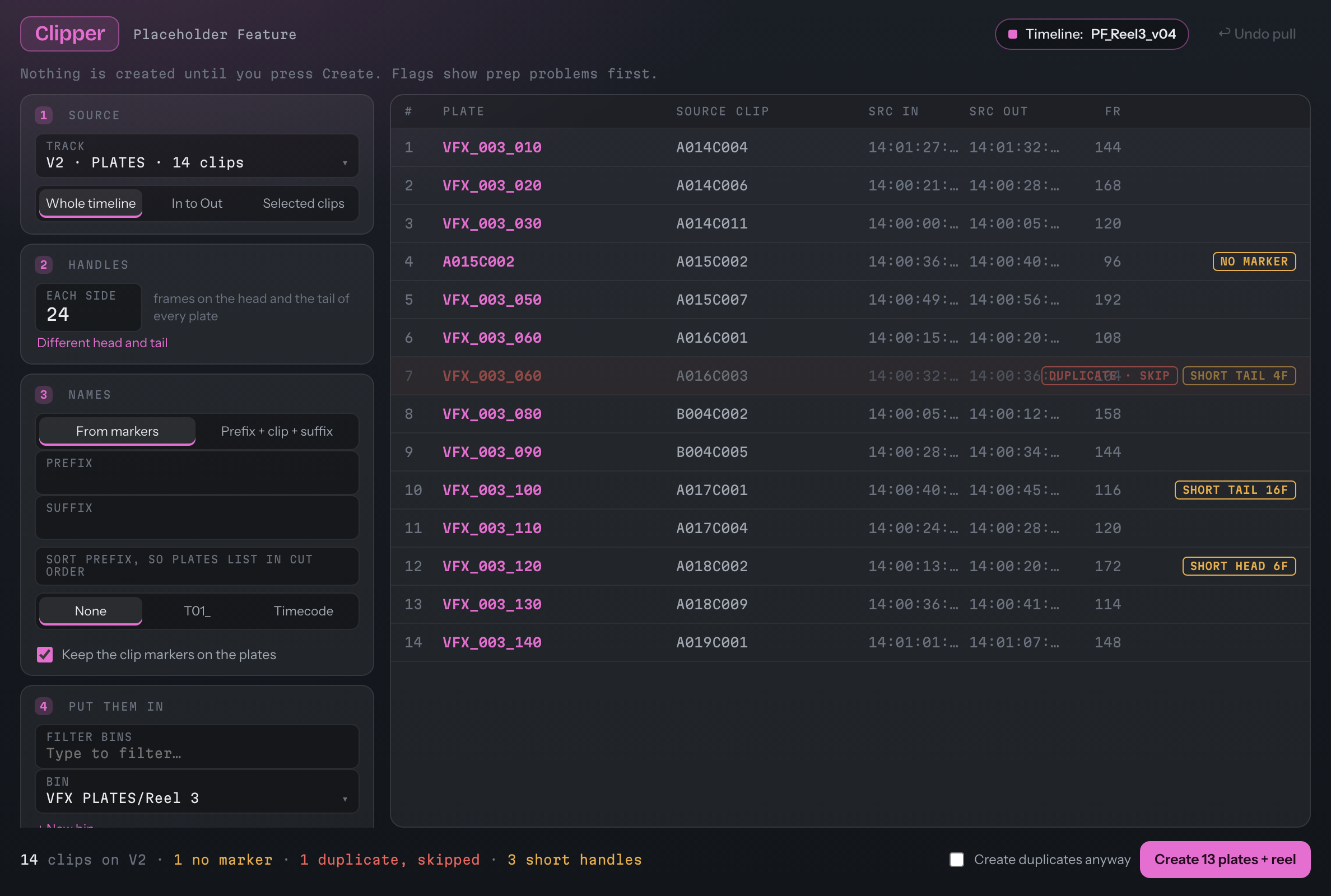
Pick the markers, set one handle length for the whole pull, choose the bin. Clipper builds the plates and a reel to check them against.
- One Undo takes a whole pull back.
- Video-only safety: never strips your main sequence's audio.
- Flags first: a clip with no marker, a duplicate, a handle that runs short, all shown before you create anything.
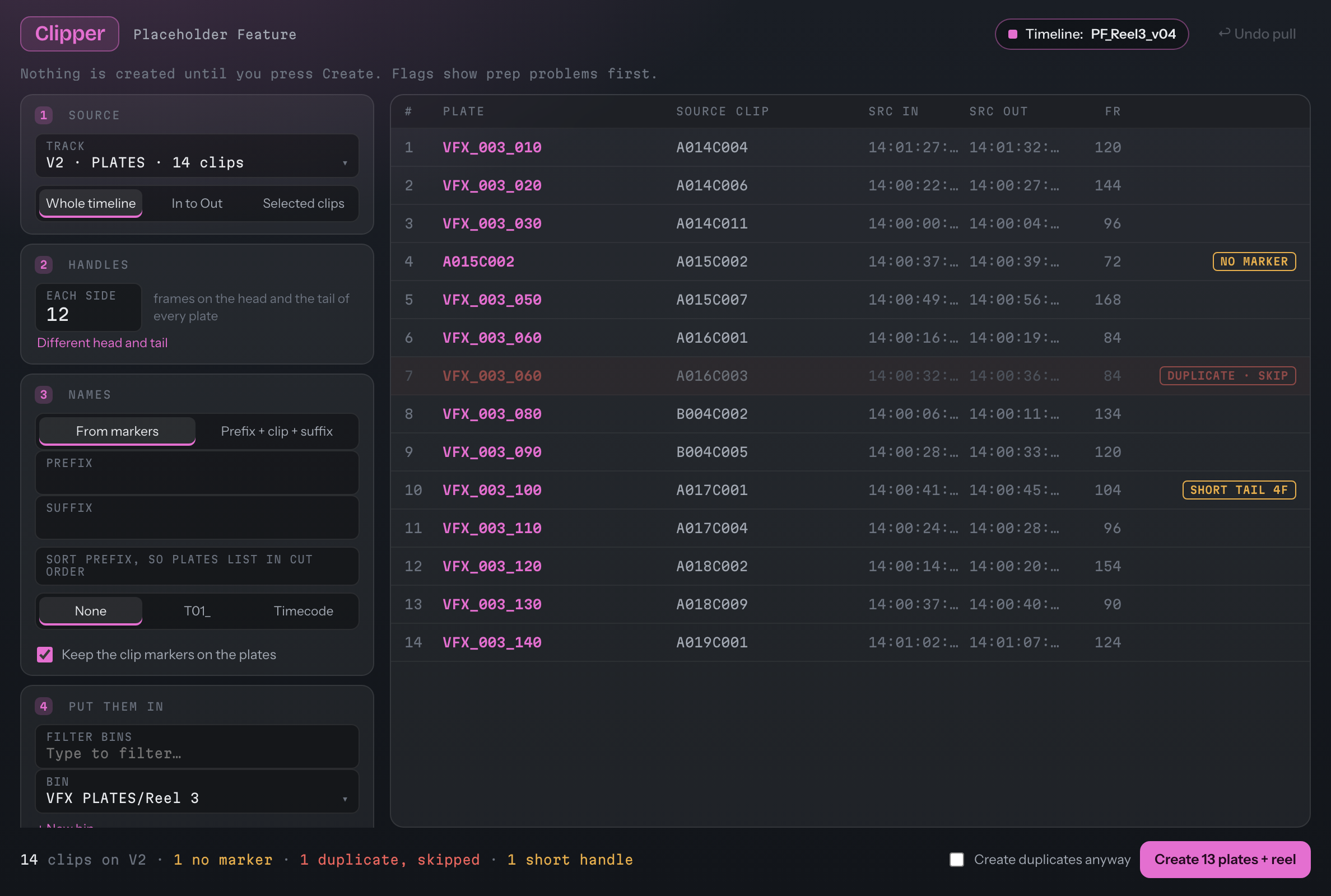
Clipper · plates from markers · 12 + 12 handles
Running times you can hand to anyone.
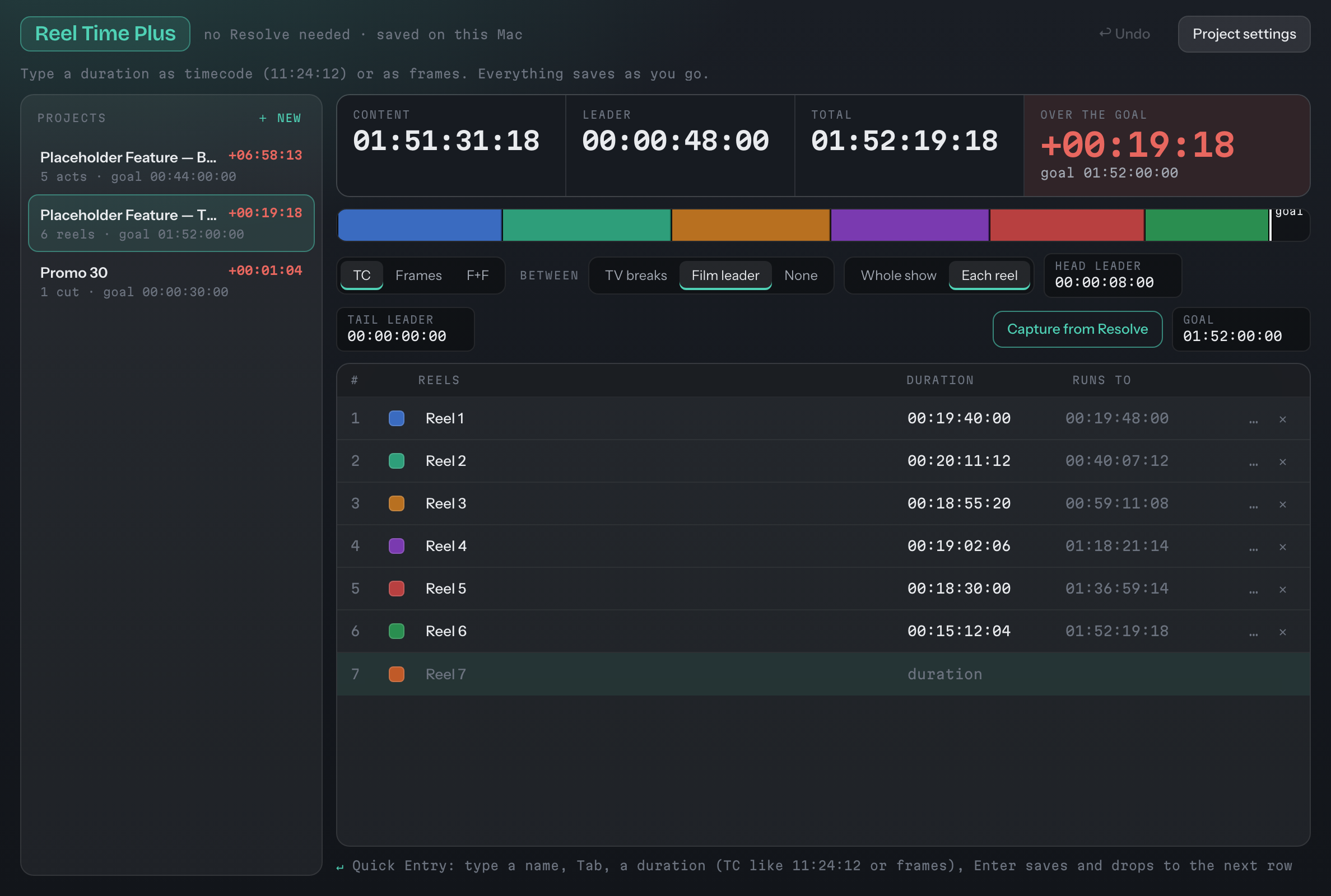
Capture reels from Resolve, keep them live while you cut, and read them in timecode, frames or feet + frames.
- Acts or reels, with breaks or film leader between.
- A goal time: over or under, in red when you are over.
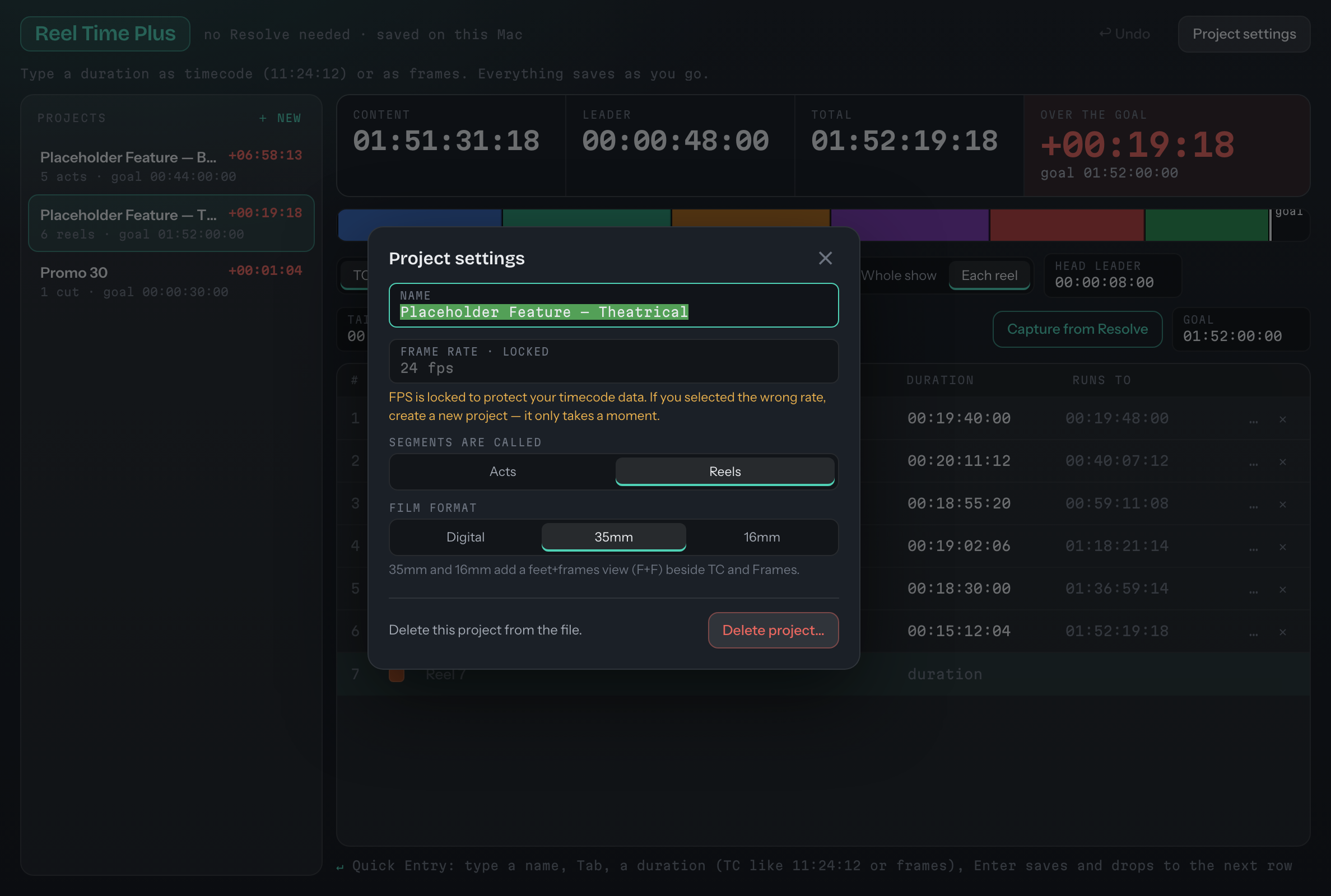
- TC, Frames or F+F: 35mm and 16mm add feet + frames.
- Works without Resolve for its notes and numbers, saved on your computer.
Also its own app. Cutting in Avid, Premiere or Final Cut? Reel Time Plus comes on its own too, and floats over your editor. Get it on its own →
Reel Time Plus in full →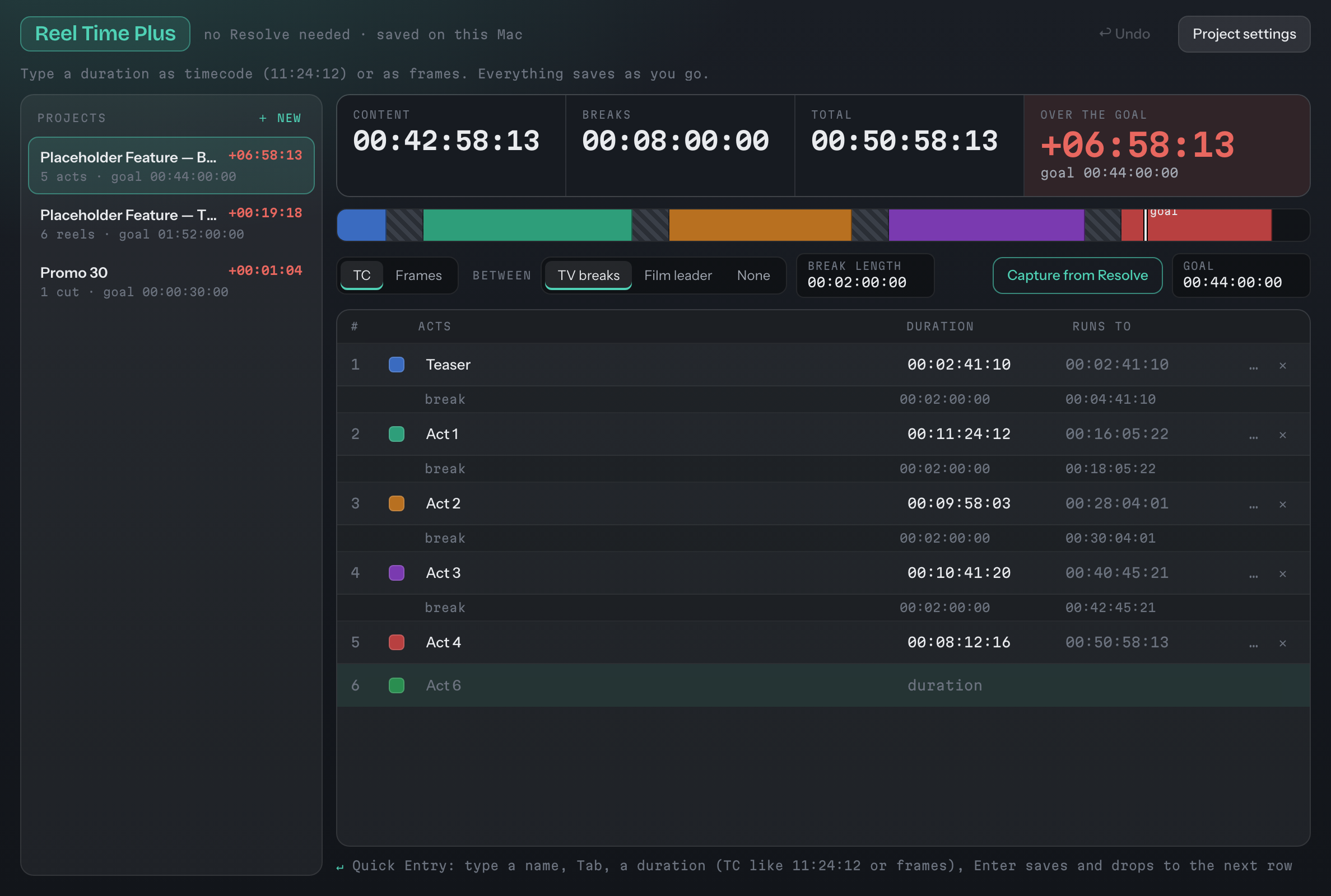
Reel Time Plus · acts, breaks, running times
Updates itself. One click, and you're on the latest.
When a new version is out, Resolve Tools tells you: a slim bar across the top with what's new and one button, Download and Install. It checks the download is genuinely ours, swaps itself over, and reopens where you left off. No hunting for the website, no dragging files around.
- You choose how often: every launch, once a week, or only when you ask.
- Nothing about you is sent: it only asks resolve-tools.com which version is newest.
- Every update is signed: the app refuses anything we didn't sign.
- Your projects and settings stay put.
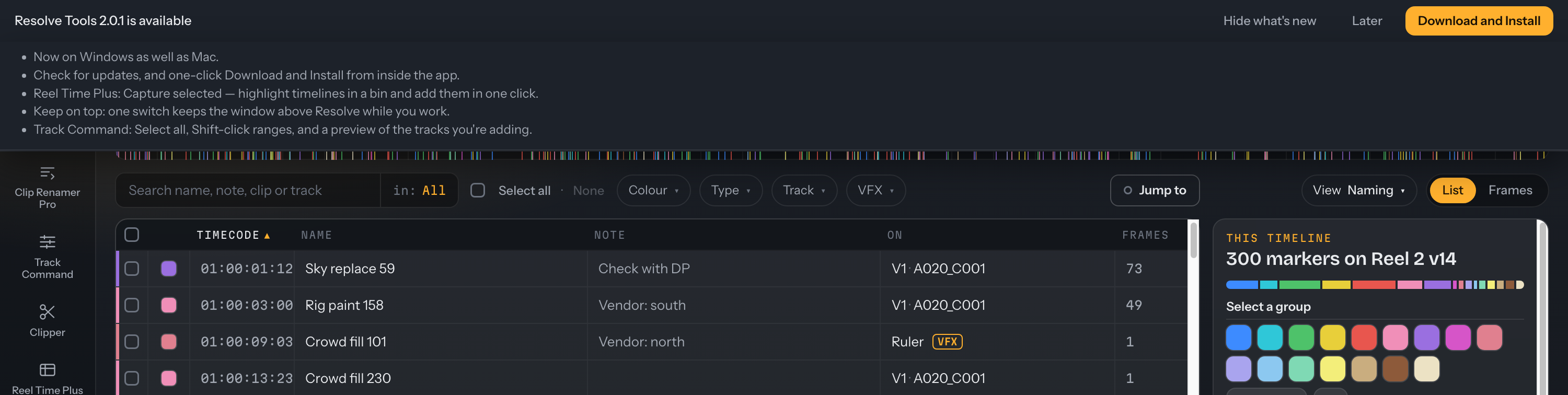
The update bar · what's new · Download and Install
Three steps. Mac or Windows.
Requires DaVinci Resolve Studio 21.1 or later (21.1 made scripting a Studio feature, which is why there are two sites) · macOS 12 or later, or Windows 10/11 (64-bit) · Reel Time Plus works without Resolve for its notes and numbers.
On a Mac
Drag it in
Open the .dmg and drag Resolve Tools into Applications.
Let Resolve talk to it
In Resolve: Preferences › System › General › External scripting using: Local.
Open it
From Applications or the Dock. It finds your open project on its own. "Set up" in its left rail adds it to Resolve's Workspace › Scripts menu if you want it there.
First launch: Open Anyway
Why macOS warns you. Resolve Tools isn't signed with an Apple Developer ID yet. That's a paid Apple account, and it's coming. Until then, macOS treats it like any app from someone it hasn't met. Here's what you're opening: free software, built over many months of evenings by a professional film editor, for the people who sit in the same chair. It talks to DaVinci Resolve on your own Mac and nothing else. No accounts, no tracking, and it only goes online if you press Check for updates.
macOS 15 or newer (you do this once):
- Open Resolve Tools. macOS says it was not opened. Click Done.
- Open System Settings › Privacy & Security and scroll down to Security.
- Next to "Resolve Tools was blocked", click Open Anyway, enter your Mac password, then click Open Anyway again.
From then on it opens like any other app.
macOS 14 or older: right-click Resolve Tools in Applications, choose Open, then Open again.
The Read Me inside the .dmg has the same steps.
On Windows
Run the installer
Open the Resolve Tools Setup installer. It installs for your account only, so no administrator password, and adds Resolve Tools to the Start menu. Remove it any time from Settings › Apps.
Let Resolve talk to it
In Resolve: Preferences › System › General › External scripting using: Local.
Open it
From the Start menu. It finds your open project on its own. "Set up" in its left rail adds it to Resolve's Workspace › Scripts menu if you want it there.
First launch: Run anyway
Why Windows warns you. Resolve Tools isn't code-signed for Windows yet. That's a paid certificate, and until it's in place, Windows SmartScreen treats the installer like any program from a publisher it hasn't met. Here's what you're running: free software, built over many months of evenings by a professional film editor, for the people who sit in the same chair. It talks to DaVinci Resolve on your own computer and nothing else. No accounts, no tracking, and it only goes online if you press Check for updates.
When the blue box says Windows protected your PC (you do this once):
- Click More info.
- Click Run anyway.
From then on it opens like any other program.
Windows 10: Resolve Tools draws its windows with Microsoft's Edge WebView2 runtime. It is built into Windows 11 and most up-to-date Windows 10 PCs. If the app doesn't open, install the free Evergreen WebView2 Runtime from Microsoft, then open Resolve Tools again.
Reel Time Plus, on its own
Just need running times, in any editor? Reel Time Plus also comes as its own small app. Type or paste your reel times while you cut in Avid Media Composer, Premiere Pro or Final Cut Pro, and it floats over your editor. With DaVinci Resolve Studio open, it captures from your timelines like the full suite. More about it
“Built like a tank, for real people doing real work. Take it, save the time, and spend it on the cut.”
— a professional film editor
Using Resolve 21.0 or earlier?
The classic tools are still here: every 1.x download, the full guides and all the pictures. Old links keep working.
Building 2.0 turned up a few bugs in the classic tools, so we fixed them there too, along with a couple of new features, such as Name into note in Marker Madness 1.8.5. That was the last classic update: from here on, new work goes into 2.0 only.